01
Write within X’s 280-character limit
X links count as 23 characters toward the limit. Attach supported images or one video to the post, but do not combine image and video media.
X publishing workflow
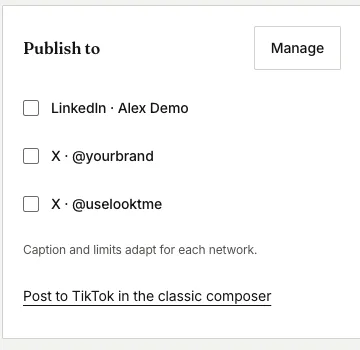
Draft an X post from what you are building, review the final copy, and publish or schedule it yourself in looktme.
01
X links count as 23 characters toward the limit. Attach supported images or one video to the post, but do not combine image and video media.
02
Review the post in looktme, then choose to publish now or schedule it for a future time when your connected account allows it. Agent publishing is optional per X account; when enabled, an agent action requires a preview and confirmation.
03
Check the post list for scheduled and published activity, including posts that need attention. X account limits and availability apply.
looktme is not affiliated with or endorsed by LinkedIn or X.